For families with aging parents ยท iPhone ยท Coming soon

Elderly parent check-in app for iPhone. Know she's okay,
without asking.

You don't call because something's wrong. You call because you don't know. Okaya closes that gap: one gentle tap from her each morning, a quiet card on your phone, and an alarm that notices when her phone goes silent - without turning her into a patient, or you into a monitor.

Silence Alarm free, foreverShe controls every switchNo ads, no data selling
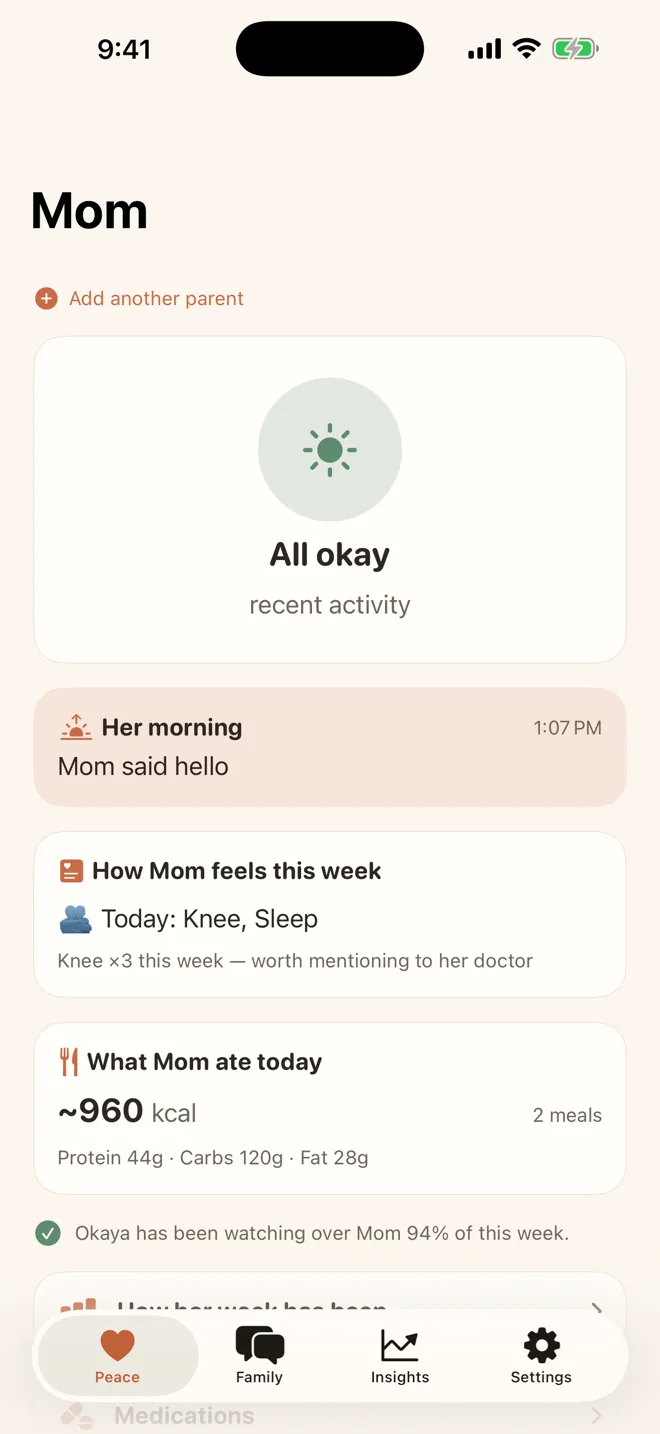
Okaya caregiver home screen showing All okay Peace Score for Mom
The quiet worry

The space between phone calls is where the worry lives.

๐Ÿ“ž

You can't call every day

And she wouldn't want you to. Daily "just checking" calls turn love into surveillance, for both of you.

๐ŸŒ™

Quiet days are invisible

The days she doesn't feel great are exactly the days she doesn't call. Nobody notices a quiet day from another city.

๐Ÿง“

She is not a patient

Cameras, wearable panic pendants and medical dashboards say "you are old and fragile." She deserves something gentler.

How Okaya works

Her morning, in one tap.

For her

One gentle question, every morning

Each morning Okaya asks her: how was your night? She answers with a single tap, right from the notification, without opening the app. Big type, one button, done.

On your phone a small card appears. Not a dashboard. Not a chart. Just: she's up, and she says good morning.

Okaya parent home screen with large I'm okay check-in button
For the family

Moments, not another chat

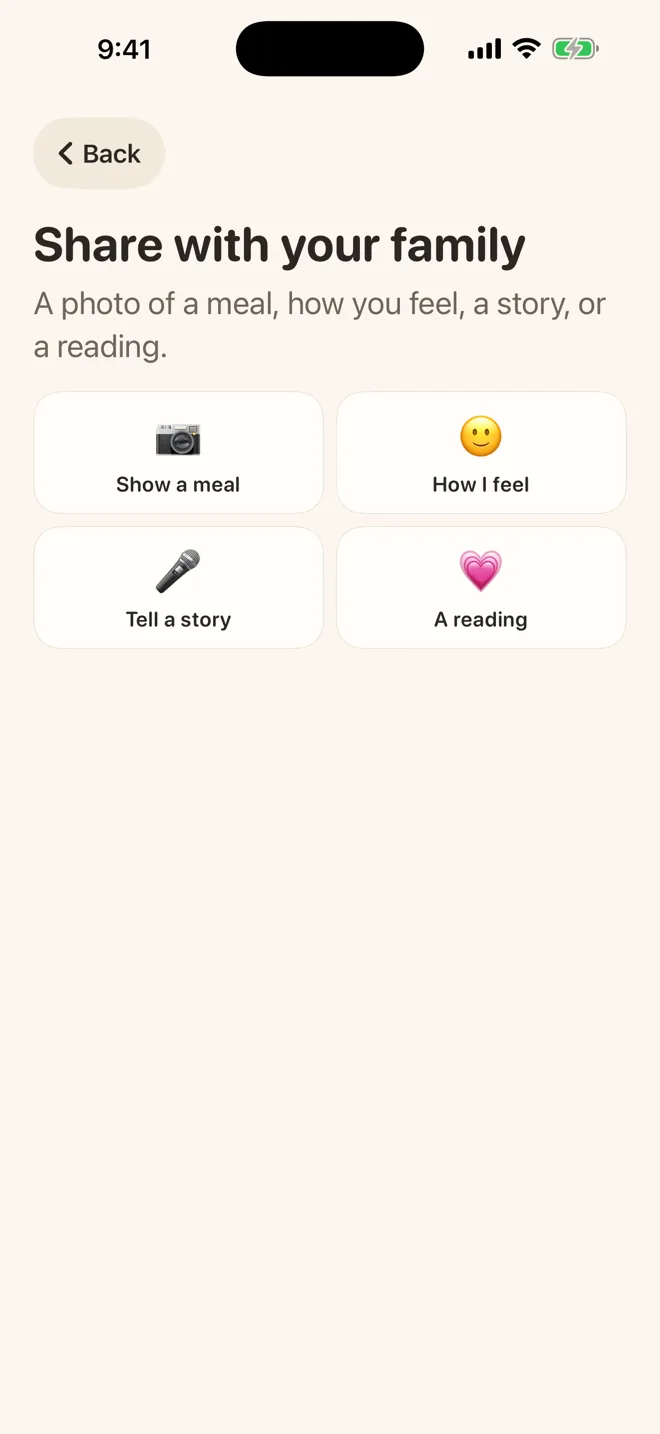
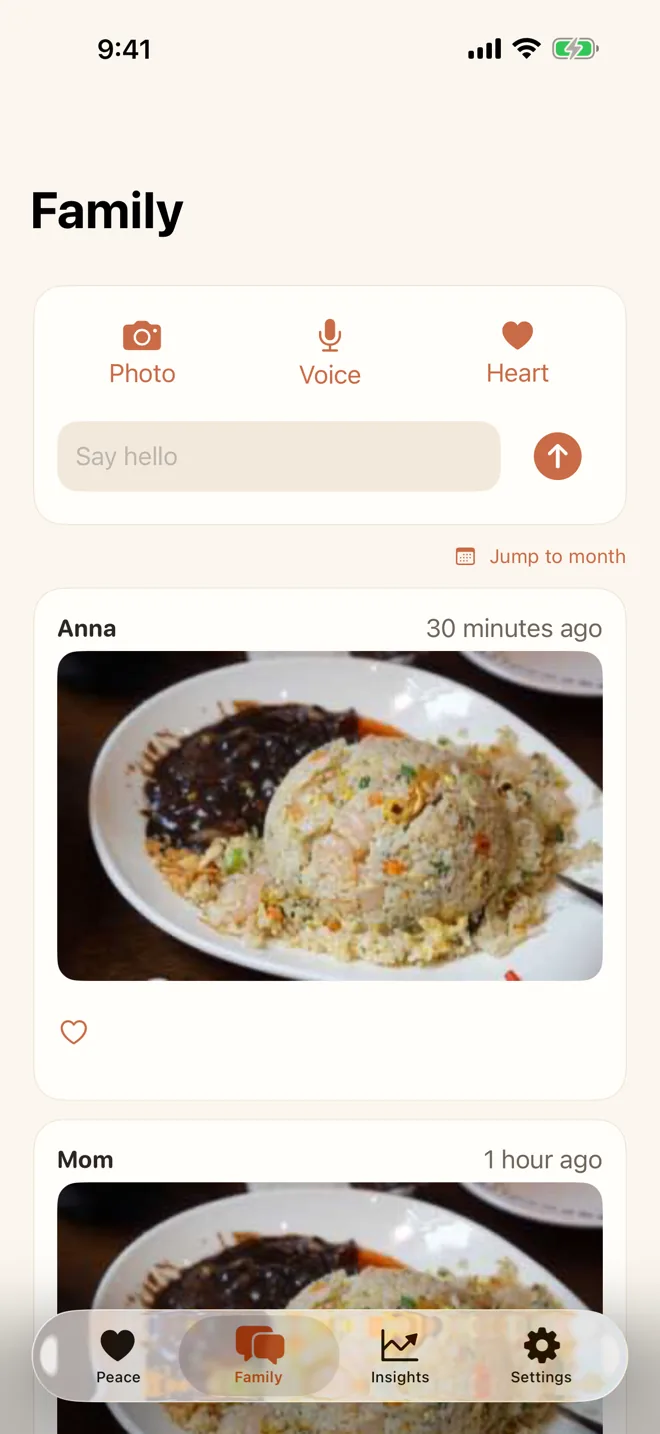
A photo of a grandchild. A voice note. A heart on something she shared. No threads, no read receipts, no obligation to reply - because a message that must be answered is a chore, and she has enough of those.

Once a week Okaya asks her a question about her life. She tells the story out loud, and it becomes something your family keeps.

Okaya family moments feed with photos and a voice story
Quiet reassurance

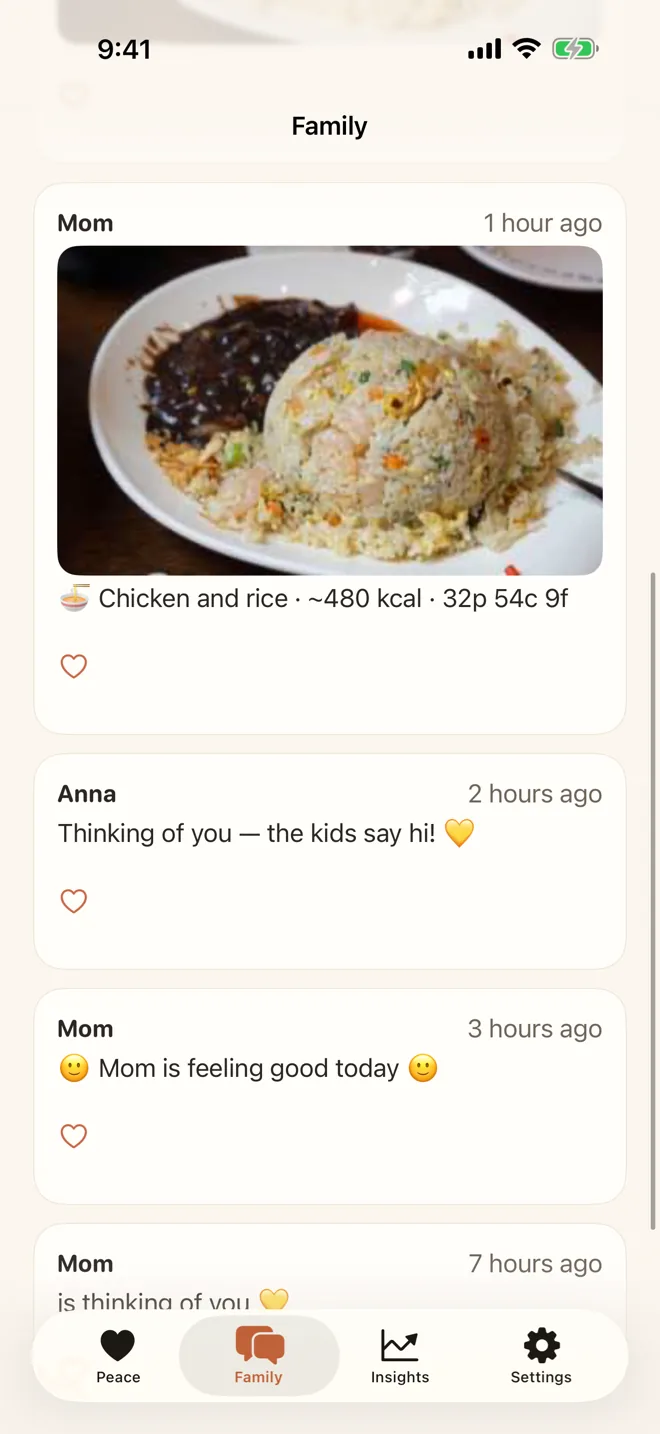
A photo of lunch says she's eating well

She photographs her meal because she's proud of it. You see "a home-cooked meal, about 480 calories" and stop wondering whether she's eating. Private photos are analyzed and immediately discarded, and her food is never scored to her face.

Okaya meal photo card showing dish name and estimated nutrition
Plain words, safe answers

Ask Okaya reads the small print

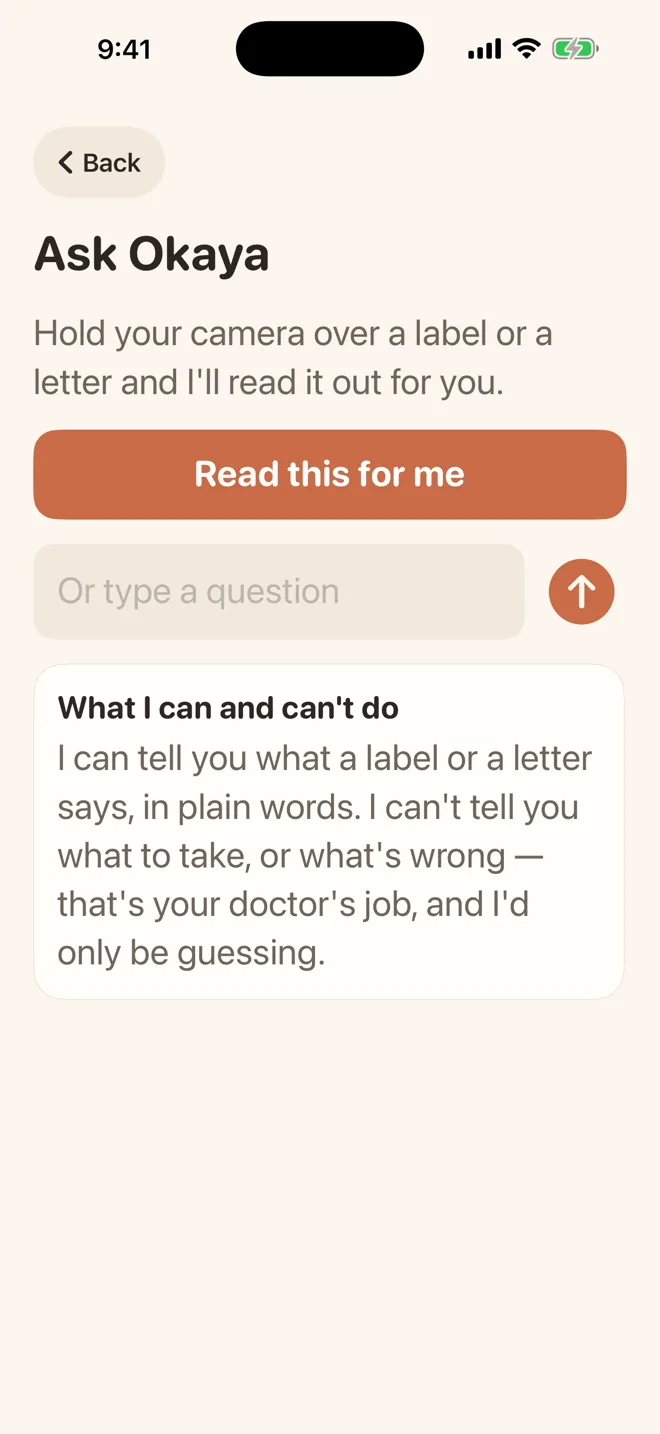
A medicine label, a letter from the clinic - she photographs it and Ask Okaya reads it out in plain words. Ask what her results mean and it answers the same way every time: that is a question for your doctor.

For visits, Okaya Family builds a doctor-visit summary from her readings, so the appointment starts with facts instead of memory.

Ask Okaya screen reading a label aloud in plain words

When it goes quiet, Okaya notices.

This is the part you can't do yourself. If her phone stops showing any sign of her - no steps, no check-in, nothing - the Silence Alarm works its way gently up to you. It never guesses at her health. It only tells you the truth about what it can and cannot see.

The Silence Alarm is free. Forever, on every plan. Some things shouldn't depend on whether anyone remembered to renew. And she can hold SOS for three seconds any time - her family's phones light up at once.

1

A gentle nudge on her phone: "Everything okay?"

2

A quiet note to you: her phone has been unusually still.

3

A real alert that won't be ignored, to the whole family.

4

A message to the emergency contacts your family listed. Never 911, never automatic.

She stays in charge

Every switch belongs to her.

๐ŸŽš๏ธ

Category by category

Activity, heart, sleep, readings: each one is a switch on her own phone. She can turn any category, or any person, off at any time. Silently. Nobody is told.

๐Ÿ‘€

She sees what you see

A screen called "What they see" shows her exactly the view each family member gets. No hidden data, no surprises.

๐Ÿ“

No location history

Okaya never shows the family live location and keeps no location history. Location is attached only to an SOS she triggers herself, if she enabled it.

Pricing

Safety is never behind the paywall.

Okaya Free

$0
One parent, one family member
  • Daily one-tap check-in and Peace Score
  • Full Silence Alarm with every escalation stage
  • SOS button with family alert
  • Activity and heart sharing via Apple Health
  • Family moments (10 per month)
Notify me at launch
Everything for the family

Okaya Family

$9.99/month
or $79.99/year ยท 7-day free trial ยท every helper joins free
  • Everything in Free, for the whole family
  • Both parents, unlimited family members
  • Medication reminders she confirms
  • Unlimited moments, weekly life stories
  • Blood pressure, weight and doctor-visit report
  • Weekly digest and gentle call suggestions
Notify me at launch
FAQ

Questions families ask.

Is Okaya free? +

Yes for the parts that matter most. The daily check-in, Peace Score, SOS and the full Silence Alarm with escalation are free on every plan, forever. Okaya Family ($9.99/month or $79.99/year, 7-day free trial) adds medication reminders, unlimited family moments, blood pressure and weight tracking, weekly digests and the doctor-visit report.

Does Okaya call 911 automatically? +

No, never. Okaya alerts family members and the emergency contacts your family listed. If a call to emergency services needs making, a person makes it. Okaya is not a medical device and does not replace emergency services.

Can my mother turn sharing off? +

Yes, and that is the point. Every category of sharing is a switch on her own phone. She can turn off any category or any person at any time, silently, without anyone being told. If she says no to everything, the app still works and simply tells the family honestly how much less it can see.

Does Okaya track her location? +

No location history, ever. Location is only attached to an SOS she triggers herself, and only if she has enabled that. Family members never see live location.

What happens when her phone goes quiet? +

The Silence Alarm notices when her phone stops showing any sign of her - no steps, no check-in, nothing. It escalates gently: first a nudge to her, then a note to the family, then a real alert, and finally a message to the emergency contacts your family listed. It never guesses at her health; it only reports what it can and cannot see.

What do both people need? +

An iPhone on iOS 17 or later, for the parent and for each family member. An Apple Watch is not required; if she has one paired to her iPhone, its data flows in through Apple Health.

The next quiet day, you'll already know.

Okaya is coming soon to the App Store. Leave your email and we'll tell you the day it's live.

Get notified at launch

Okaya is a family wellness app, not a medical device or an emergency service. It does not diagnose, does not guarantee detection of every incident, and never contacts emergency services automatically. Always call your local emergency number in an emergency.

Related reading: How to Check On Your Elderly Parent Every Day (Without Calling Every Day)