Inside the app
Sheet on top,
keys underneath.
keys underneath.
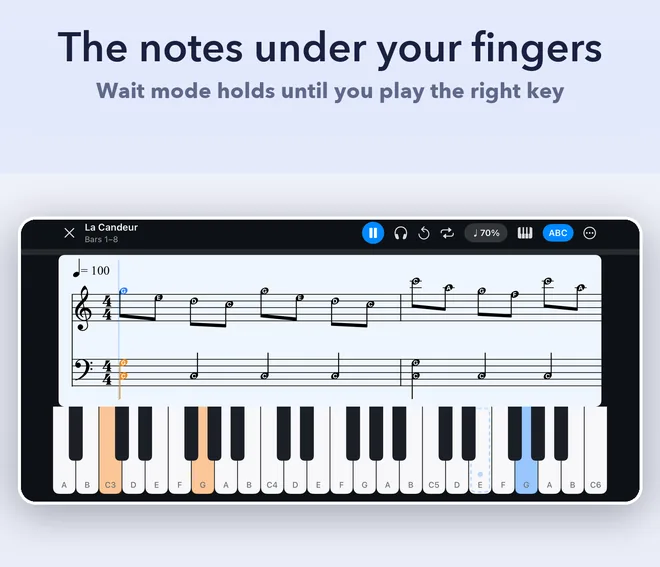
Practice mode is where the time actually goes, so it gets the whole screen. Everything
below is the app running, not a drawing of it.
Sheet music for the piece you actually want to play is either impossible to find or written for someone with better hands than yours. PianoSheet AI listens to a recording, writes it out as piano notation at a level you can play today, and then sits with you while you learn it.
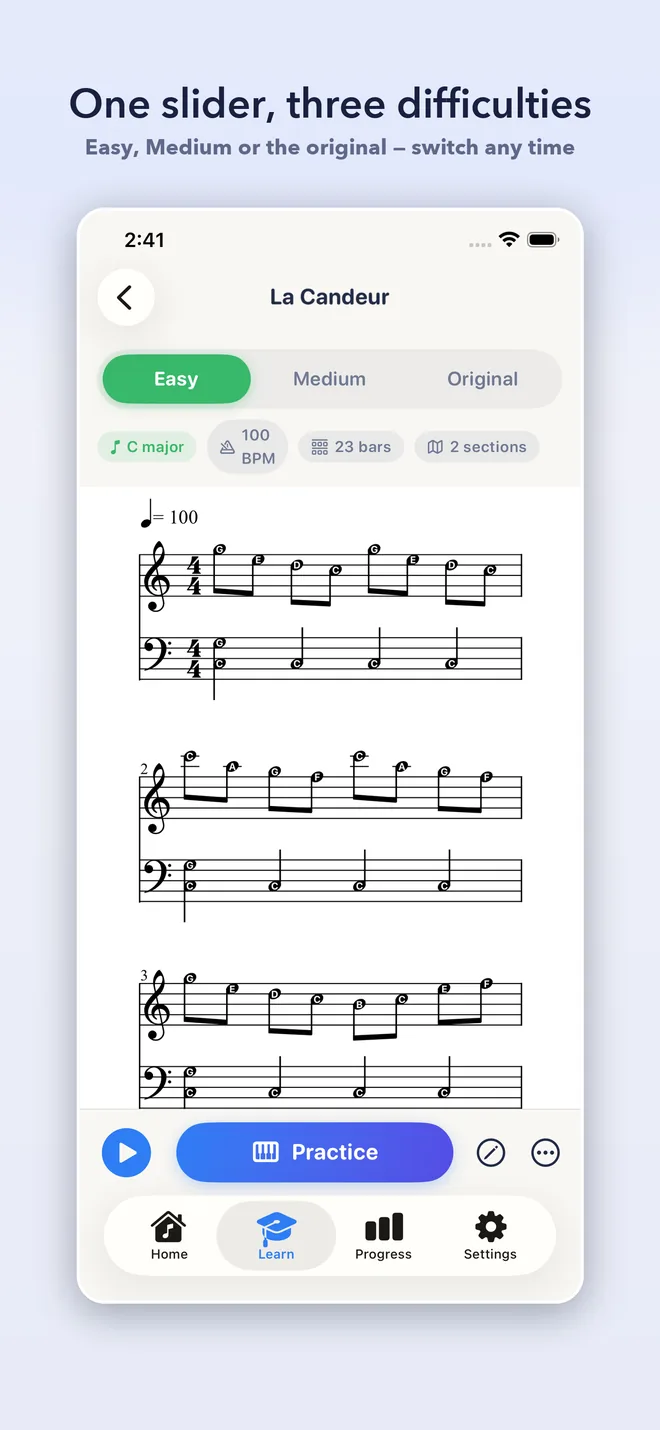
A single melody line with a simple bass underneath. Enough to sound like the song with two hands that are not fighting each other.
The melody keeps its shape and the left hand takes chords. This is usually where a piece starts to sound like the record rather than a sketch of it.
The full arrangement as transcribed, with nothing simplified away. The version to grow into.
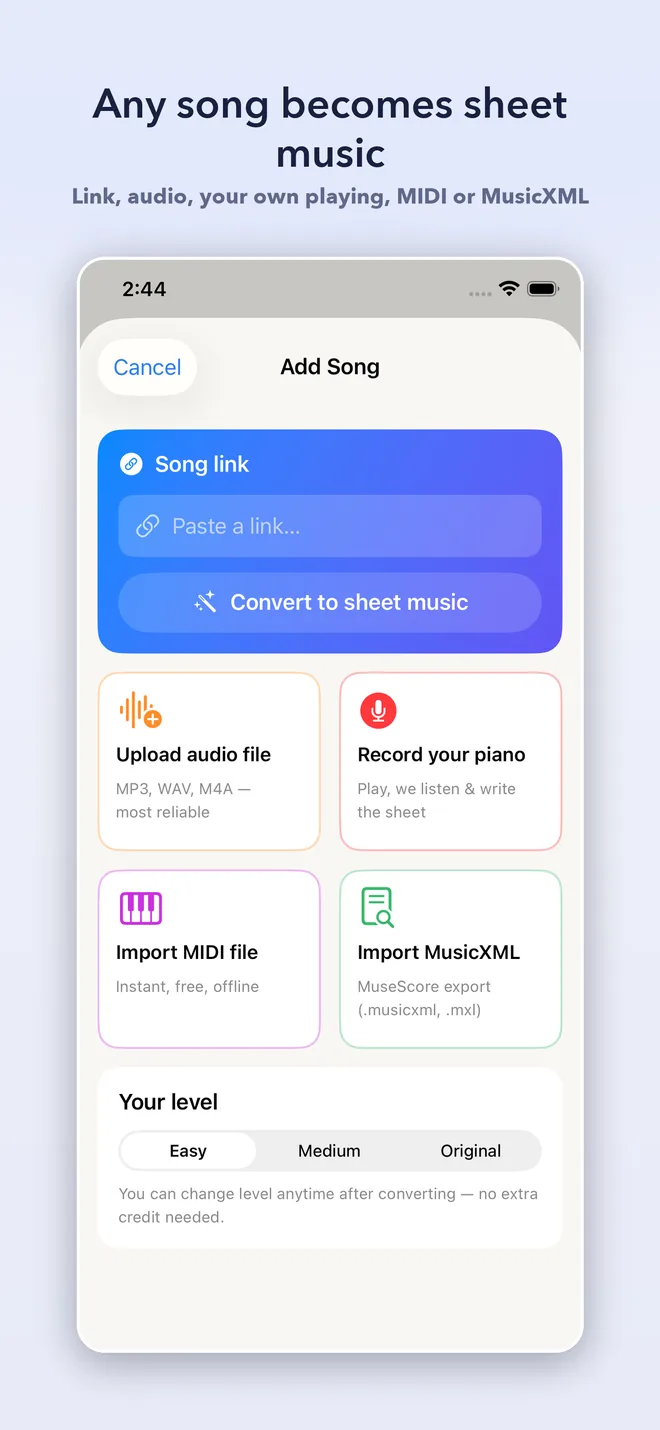
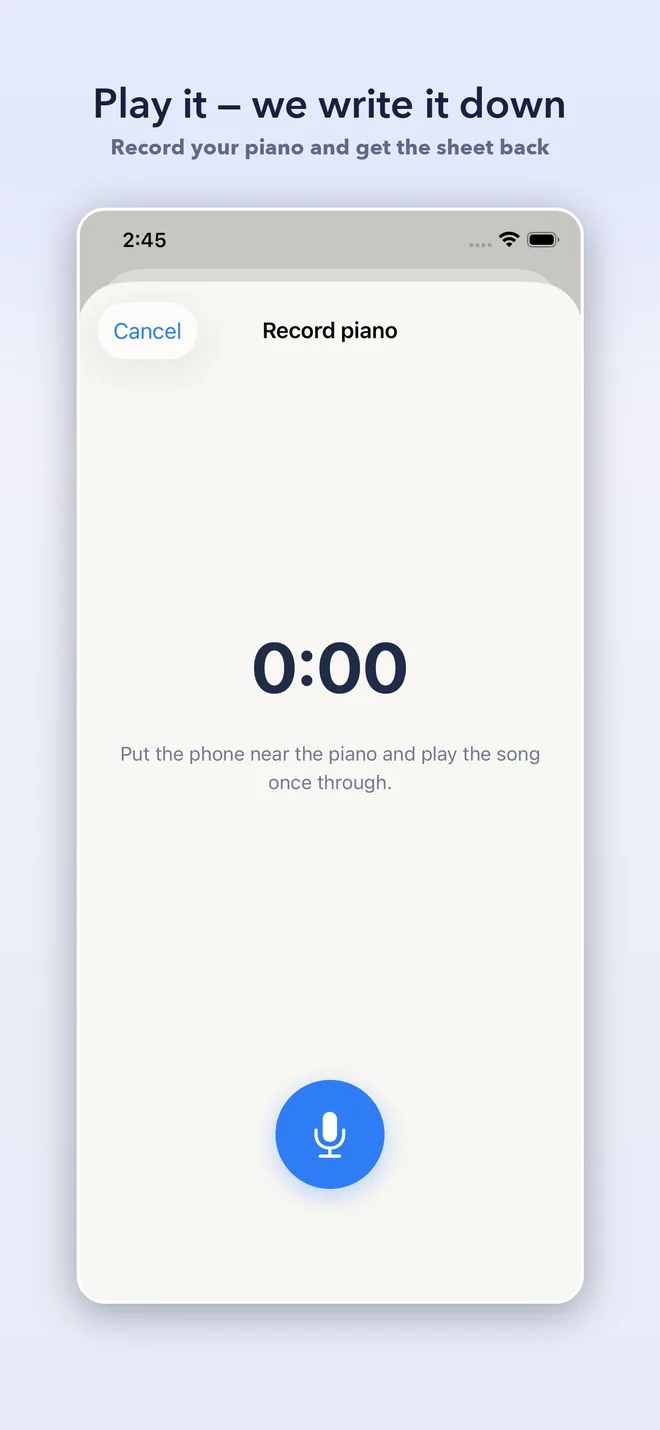
Paste a link to audio you have the rights to, upload an MP3, WAV or M4A, record your own piano and get the sheet back, or import a MIDI or MusicXML file. The MIDI and MusicXML paths run entirely on your device.
Turn the phone sideways and the sheet sits above a piano keyboard. Wait Mode holds the music until you play the right note, so you are never chasing a recording. Slow the tempo, loop a difficult bar, take one hand at a time.
The on-screen keyboard is a complete fallback, not a demo. Every flow works without a real instrument, and a MIDI keyboard connects if you have one.
After each run you get plain language: which bars you missed, whether you rushed or dragged, which hand needs the work. No theory vocabulary required to understand it.
Tell it how many minutes a day you have. It splits the song into sections and builds a day-by-day plan: hands apart first, then together slowly, then up to tempo. Event Mode works backwards from a date, for the wedding or the proposal you are learning it for.
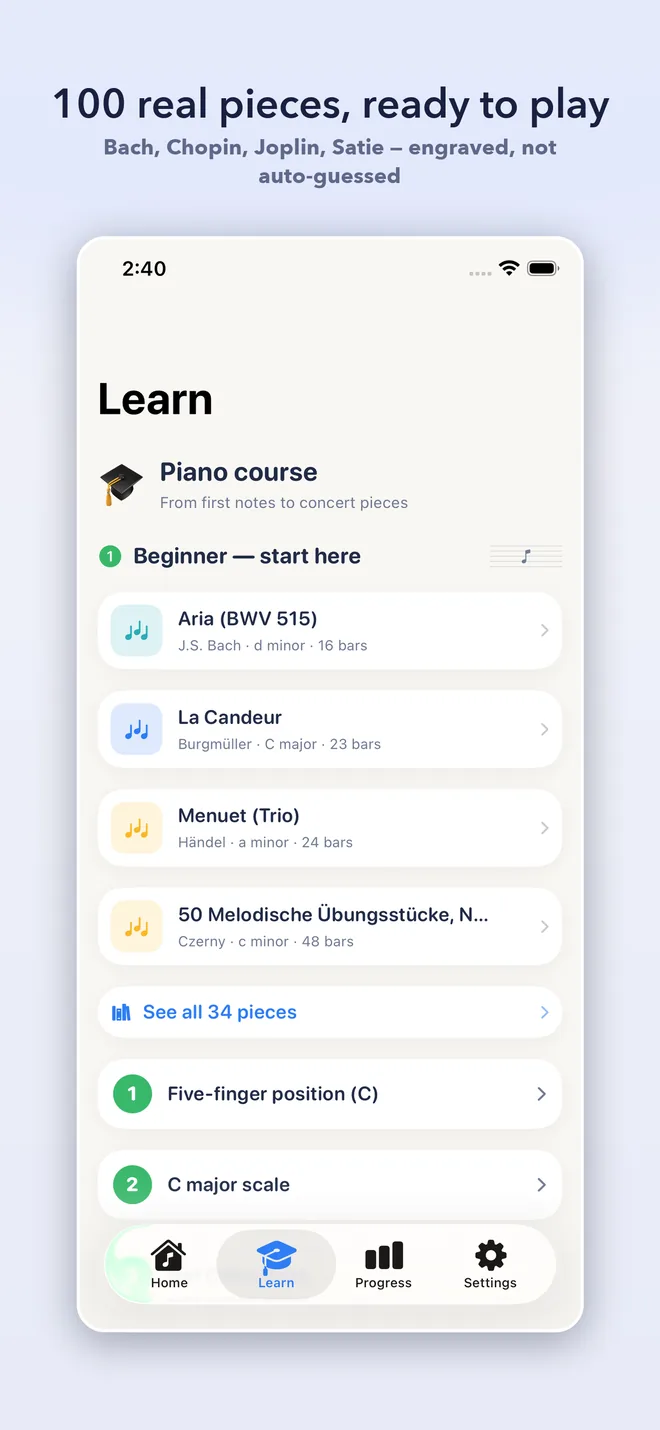
A shelf of real classical repertoire, engraved by human typesetters rather than machine transcribed: Bach, Mozart, Chopin, Schumann, Burgmuller, Joplin, Satie, Grieg, Tchaikovsky. Free to browse, and they need no network at all.
An audio file you own such as an MP3, WAV or M4A, a recording of yourself playing, a link to audio you have the right to use, or a MIDI or MusicXML file you already have. The app does not host, index, search or recommend any catalogue of music; it works on the material you bring to it.
Good enough to learn from, and not good enough to publish. Solo piano and clear arrangements come out well. Dense mixes, fast inner voices and heavily produced tracks are where a machine transcription shows its limits. Treat the result as a strong draft that your ears finish.
Easy is a single melody line with a simple bass. Medium keeps the melody and gives the left hand chords. Original is the full transcription with nothing simplified away. They are the same piece at three sizes, and one slider moves between them at any time.
No. The on-screen keyboard is a full fallback and every part of the app works with it. If you do have a MIDI keyboard you can connect it, and if you have an acoustic piano Wait Mode can listen through the microphone.
Converting audio does, because the separation and transcription run on a server rather than on your phone. Importing MIDI or MusicXML runs entirely on your device, and the 100 bundled classical pieces need no network at all.
No. There is no sign-in screen and no email address to give. The app uses an anonymous identifier so your purchases and quota survive a reinstall, and that identifier is not tied to your name.
One song at a time is a single purchase of $2.99. PianoSheet Pro is $6.99 a month or $49.99 a year, with a 7-day free trial on the yearly plan, and covers unlimited converts under a fair-use limit of 15 a month along with practice plans, Event Mode and export to PDF, MusicXML and MIDI. The first convert and the whole beginner shelf are free.
Not unless you hold the rights to the underlying music. A transcription is a derivative of the composition, so a machine-made score of a song someone else wrote is for your own private practice. The 401 bundled pieces are public domain or CC-BY and their individual terms apply, with credits in Settings.
Yes. PianoSheet AI is free on the App Store for iPhone and iPad. PianoSheet Pro is $6.99 a month or $49.99 a year, and the yearly plan starts with a 7-day free trial.
PianoSheet AI produces machine transcriptions for private study and practice. You are responsible for holding the rights to any audio you bring into the app, and a transcription of music you do not own is not yours to share, perform or sell. The app does not host, index, search or recommend any catalogue of recordings. The 401 bundled pieces come from the Mutopia Project and are public domain or CC-BY, with per-piece credits in Settings.